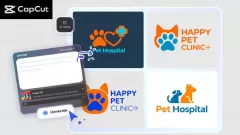
Small businesses can only make use of powerful visual branding to stand out amid the competitive market. A professional logo creates trust and transfers brand values, and the customers can easily identify your business. Nevertheless, this may prove very expensive and time-consuming as small business owners may have to hire a designer or use professional design software.
The AI Logo Generator by CapCut is a cost-effective solution that is efficient. This app enables the small business owner to create quality and customizable logos based on basic text prompts and reference images. This comes with offering the business owners a chance to concentrate on other important areas of their business, while creating a professional, polished logo.
How AI Logo Generator Benefits Small Businesses
The logo might be the first stage of interaction between an organization and the customers. The use of beautiful and distinct logo is a sign of credibility and professionalism. Conventionally, designing a logo needs to undergo numerous logo design processes, computer expertise or outsourcing, which may prove to be quite demanding for small entrepreneurs.
The solution to these issues is the AI Logo Generator offered by CapCut, which creates professional logos based on the fastest method and with high efficiency. Small firms have a chance to test the styles, colors, and fonts to determine the most appropriate logo that reflects their brand. The high-resolution outputs can be used on websites, social media, packaging, and marketing materials to have uniformity between all branding platforms.
Build Customer Trust
A powerful, professional logo conveys the message of veracity and quality. An AI image generator assists small businesses in gaining credibility, making customers believe in and use the brand.
Save Time and Costs
Designing without using AI does not require finding designers or acquiring sophisticated software to design. The logos can be created by the owners of the small business within minutes, avoiding time and money.
How to Use CapCut’s AI Logo Generator for Unique Logos
Step 1: Enter text prompt
Open a new project in CapCut and go to Media > AI image. Provide a specific description of the logo that is desired, style, colour scheme, and the brand. Or you can also post a reference image and provide AI with more precise results.
Step 2: Generate an AI logo
Select a generation model like Nano Banana Pro, Seedream 4.0, Seedream 3.0, Seedream 3.1 or Flux 1.1 Pro. You can automatically create a logo with your input by clicking the icon "Generate."
Step 3: Edit a logo
Customise your logo with the help of CapCut. Customise colours, fonts, stickers or effects to make a unique and professional design that matches your brand identity.
Step 4: Export a logo
Click on the " Export " button at the top right of the editing panel and choose the option of exporting still frames. Select resolution (up to 8K) and format, and click on Export to save your finished logo on websites, social media, packaging or marketing material.
Key Features
-
Text-to-logo generation - The simplest way to make a logo. Make professional-looking logos with no design skills required.
-
Choice of design styles- Select between modern, minimalist, artistic and 3D designs to show your identity in business.
-
High-resolution delivery- Export logos that can be used in digital and print, such as websites, social media and packaging.
-
Fast generation - Rapidly create many logo versions to consider the idea of branding.
-
On-the-fly image guidance – Provides examples or inspiration to direct AI to provide consistent, accurate results.
-
CapCut editing tools - Add fonts, colour, stickers, and effects to make the final design of the logo a bit more sophisticated.
Helpful Tips for Small Business Logo Design
-
Add brand specifics: Add icons, colours, or shapes which are indicative of your business values.
-
Test the styles: Come up with several different ones to choose the most appropriate one to fit your brand.
-
Use reference images: Guide AI to fit logos with current branding or preferred style.
-
Make it platform-optimised: Export logos to different sizes to use on the web, social media and print.
-
Refine using CapCut: Add finishing effects, such as shadows or outlines, to the logo so as to make it look striking.
Conclusion
CapCut, AI Logo Generator is also a critical tool that small business owners can use in developing a robust and professional brand without paying much in designing their brands. With the ability to create numerous high-quality logos on the basis of simple textual prompts and reference images, business owners are able to test out styles, colors, and layouts to discover the ideal manifestation of their brand. The high-resolution results make the logos appropriate to be used in websites, social media, packaging and marketing materials to ensure the consistency of logos in all platforms. By using the AI Logo Generator, CapCut makes small businesses spend less time, save money, and develop memorable and professional logos, which make customers feel trusted and noticed.