Image Source: X
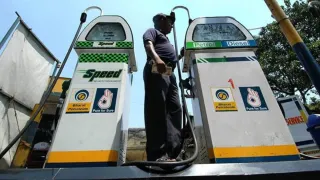
Sometimes customers face problems while booking an LPG cylinder online. The website or mobile app may not work properly due to technical issues, server problems, or heavy traffic. If you are a Bharat Gas customer and the online booking system is not working, there is no need to worry.
Bharat Gas has provided several alternative methods that allow customers to book their LPG cylinder quickly and easily. You can book your refill through IVR call, SMS, WhatsApp, or the mobile app even when the website is down.
Here is a simple guide to help you book your Bharat Gas LPG cylinder without using the website.
Book Bharat Gas Cylinder Through IVR Call
One of the easiest ways to book a cylinder when online services are unavailable is through the IVR (Interactive Voice Response) system.
Customers can call the official Bharat Gas IVR number 7715012345 from their registered mobile number.
Steps to book via IVR
- Dial 7715012345 from your registered mobile number.
- Listen to the automated voice instructions.
- Select the option for LPG cylinder booking.
- Confirm your consumer number if required.
- After completing the process, you will receive a booking confirmation SMS.
This method works 24/7 and does not require internet access.
Bharat Gas Cylinder Booking via SMS
Another quick option is booking your LPG cylinder through SMS.
Customers simply need to send a message in the format specified by the company from their registered mobile number. Once the SMS is sent successfully, the booking request is processed and a confirmation message is sent back.
This option is useful when internet connectivity is poor or the website is not responding.
Get Help or Information via WhatsApp
Bharat Petroleum Corporation Limited also provides customer support through WhatsApp.
Customers can send a message to 1800-22-4344 on WhatsApp to get help related to LPG services, booking status, and other customer queries. The automated system guides users through available options and provides quick assistance.
Image Source: X
Book LPG Cylinder Through Mobile App
If the website is not working but mobile apps are functioning, customers can use the Hello BPCL mobile application to book their LPG refill.
Steps to book through the app:
- Download the Hello BPCL App from the app store.
- Login using your registered mobile number.
- Select your LPG connection details.
- Tap on “Book Cylinder”.
- Confirm the booking.
This app also allows customers to track delivery status, view booking history, and manage their LPG account.
Why Online LPG Booking Sometimes Fails
There can be several reasons why online booking might not work:
- Heavy traffic on the website
- Temporary server maintenance
- Mobile app glitches
- Slow internet connection
During such situations, alternative booking methods like IVR, SMS, and WhatsApp ensure that customers can still book their LPG cylinder without delay.
Conclusion
Even if the Bharat Gas website or online system is down, customers still have multiple easy options to book their LPG cylinder. Using IVR calls, SMS, WhatsApp support, or the Hello BPCL mobile app, you can complete your booking quickly without facing major inconvenience.
These alternative methods ensure uninterrupted LPG services for millions of customers across India.
Also Read: LPG crisis: India consumes 30 million tonnes of LPG every year